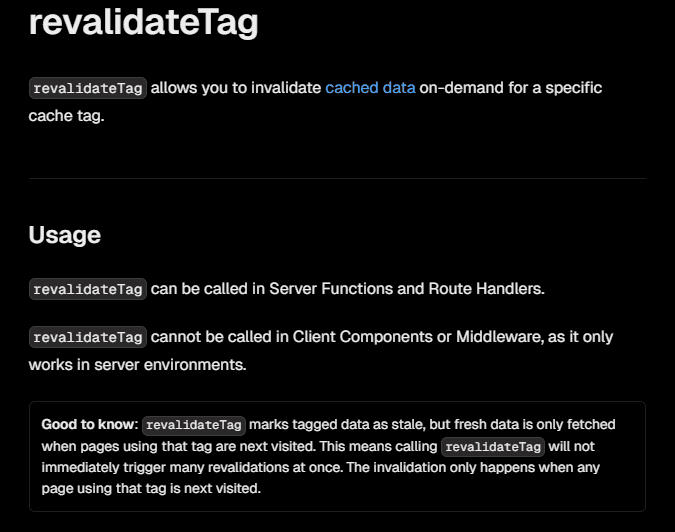
首先在RSC取得post data 然後傳給 client component,請注意sanity 的 fetch function 除了query之外還要加上兩個參數 (變數, Next.js 資料快取選項)
// src/app/[lng]/(home)/_components/PostsSection.tsx  ← Server Component(不要 "use client")
import Grid from "@mui/material/Grid";
import PostCards from "@/components/UI/PostCards";
import { client } from "@/sanity/lib/client";
import { PostDoc } from "@/schema/type/post";

export default async function PostsSection() {
  // SSR 取得文章資料
  const posts = await client.fetch<PostDoc[]>(
    `*[_type == "post"] | order(_createdAt desc) {
      _id,
      _createdAt,
      title,
      description,
      photo,
      "slug": slug.current,
      categories[]->{
        _id,
        title,
        "slug": slug.current
      },
      author->{
        _id,
        name,
        "slug": slug.current,
        email,
        avatar
      }
    }`,
    {}, // 這邊查詢所有post,不設定變數
    { next: { tags: ["posts"] } }
  );
  return (
    <Grid container spacing={2} columns={12}>
      <PostCards posts={posts} />
    </Grid>
  );
}
設定revalidate tag同sanity fetch 的 tag,並且為了防止濫用可加上一個REVALIDATE_SECRET code (可選)
// app/api/posts/revalidate
import { NextRequest, NextResponse } from "next/server";
import { revalidateTag } from "next/cache";

export async function POST(req: NextRequest) {
  const secret = req.nextUrl.searchParams.get("secret");
  if (secret !== process.env.REVALIDATE_SECRET) {
    return NextResponse.json({ error: "Invalid secret" }, { status: 401 });
  }
  console.log("Revalidating posts");
  revalidateTag("posts");
  return NextResponse.json({ revalidated: true, now: Date.now() });
}
到後台設定webhook 的觸發條件、觸發的api route。
設定webhook,免費版本只有兩個可用,剛好一個測試一個deploy用,以測試的來說明。
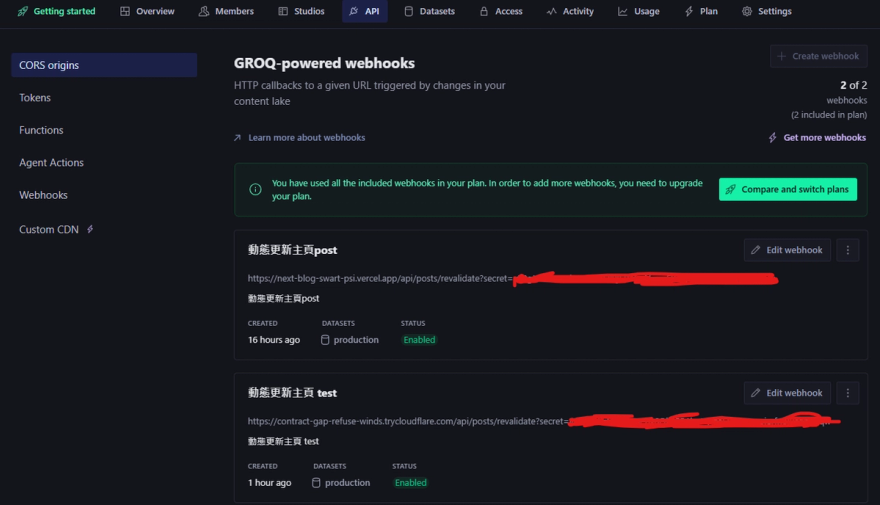
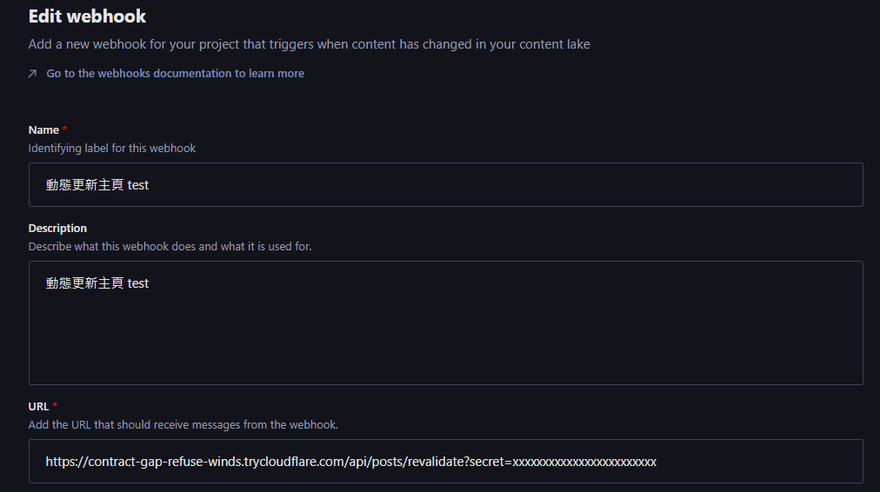
URL 需要注意無法用localhost:3000 所以要使用 Cloudflare Tunnel 來讓 Sanity Webhook 可以直接存取的本機 API
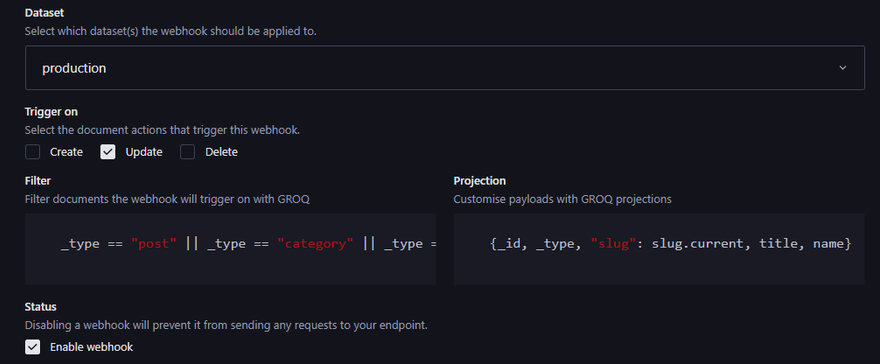
設定觸發條件:
Filter 代表哪些type會觸發條件,這邊設定 post、category、author 更新時會觸發
Projection 代表發送時 payload(內容)要帶哪些欄位
如果設定成功就能看到 log